Redact PDF
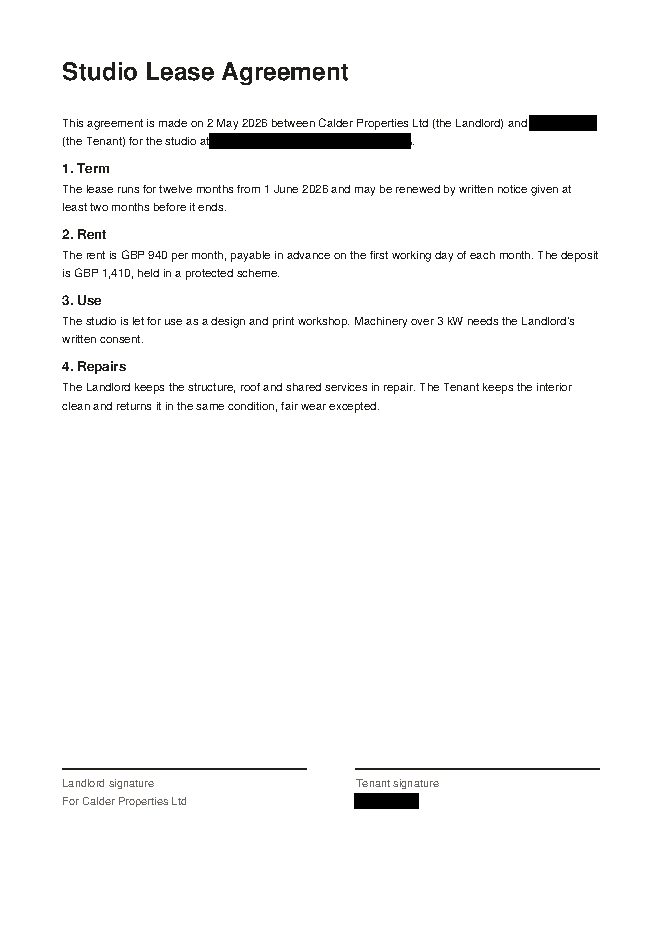
Hide sensitive information in a PDF, such as names, phone numbers and ID numbers, with black boxes or a mosaic, and remove it from the file.
Processed in your browser, nothing uploaded
or drop files here
PDF · 1 file · processed in your browser, nothing uploaded
How to use Redact PDF
- Select one PDF file or drop it on this page.
- Drag on a preview page to draw over what you want to hide. Click a box to move it, copy it and paste the same size onto another page, or use “On every page” to put it in the same spot on all pages.
- If there are words to find and redact, enter them separated by commas, then choose how to cover them: black box or mosaic.
- Click “Redact PDF” and download the redacted PDF.
Frequently asked questions
Is the hidden content really removed?
Yes. Redact PDF rebuilds each page that has redacted areas as an image with the black boxes painted on. The original text, images and links on that page are gone from the file, so they can't be copied or recovered by removing the black boxes.
I can't select the text on redacted pages.
To make sure the content is removed, Redact PDF turns redacted pages into images, so the text on those pages can't be selected or searched. Pages without redactions stay as they were. In forms with fields, the values are fixed onto the page.
The word search missed some spots.
Redact PDF's word search only finds characters stored as text in the PDF. It can't find words when the letters are images, as in a scanned document, or when the PDF stores a word in several pieces, so paint over those spots yourself in the preview.
What is the difference between black box and mosaic?
In Redact PDF, “Black box” paints the area black, and “Mosaic” breaks it into coarse 10 pt blocks (about the height of body text) so the letters can't be read. Both rebuild the redacted pages as images and remove the original content from the file.
Can I put the same size box in several places?
Yes. In Redact PDF, click a box to select it, then use Copy (Ctrl+C) and Paste (Ctrl+V) to add one of the same size in the same spot, and drag it where you need it. “On every page” puts it in the same spot on all pages at once. The arrow keys move a selected box in small steps.
Is it free?
Yes. Use it free in your web browser, with no sign-up or software to install.
Are my files stored on a server?
No. This tool runs inside your browser, so your file is never sent to a server and never leaves your device.
Which files can I use?
You can add one PDF file at a time.