Every image task, in one place done fast
From JPG to PDF to compression, background removal and AI upscaling. No sign-up and no server upload, everything runs right in your browser.
Or drag and drop images, or paste with Ctrl+V
All tools
Optimize
- Compress ImageKeep quality and cut file size by up to 80%
- Resize to File SizeShrink photos to a file size (KB) limit for document and application uploads
- Resize ImageChange width and height by pixels or percent
- AI Image UpscalerEnlarge blurry or small photos 2x or 4x with AI for sharper high resolution (upscale)
Convert
- Convert FormatConvert to JPG, PNG, WebP, AVIF or GIF (HEIC, TIFF, PSD and SVG input supported)
- JPG to PDF ConverterMerge multiple JPG, PNG and other images into one high-quality PDF
- PDF to Image ConverterConvert every page of a PDF into a high-quality JPG or PNG image
- PNG to JPG ConverterConvert PNG images to JPG with no visible quality loss
- HEIC to JPG ConverterConvert iPhone photos (HEIC) to JPG that opens on Android and Windows
- WebP to JPG ConverterConvert WebP images to JPG that opens anywhere
- JPG to PNG ConverterConvert JPG images to PNG
- Convert to WebPConvert JPG and PNG images to small WebP files
Edit
- Photo EditorEdit in one screen: layers, masks, selection tools, brush and text, brightness, levels, curves and filters
- CropSelect an area yourself or crop to a ratio
- Fit to presetFill margins or crop to fit online store and social media sizes
- Rotate · FlipRotate or flip many images at once. You can also pick only landscape or portrait photos
- Remove BackgroundAI keeps only the subject and removes the background or swaps it for any color you want
- WatermarkAdd text or a logo image at any position and opacity
Create
- Passport Photo MakerCrop your face to passport, resident ID or resume sizes and change the background (laid out for 4×6 printing)
- Collage · JoinJoin multiple photos horizontally or vertically, or combine them in a grid
- Make GIFTurn multiple images into an animated GIF
- Meme GeneratorAdd bold meme text above and below your photo
- Pencil Sketch ConverterTurn a photo into a pencil-drawn sketch
Security
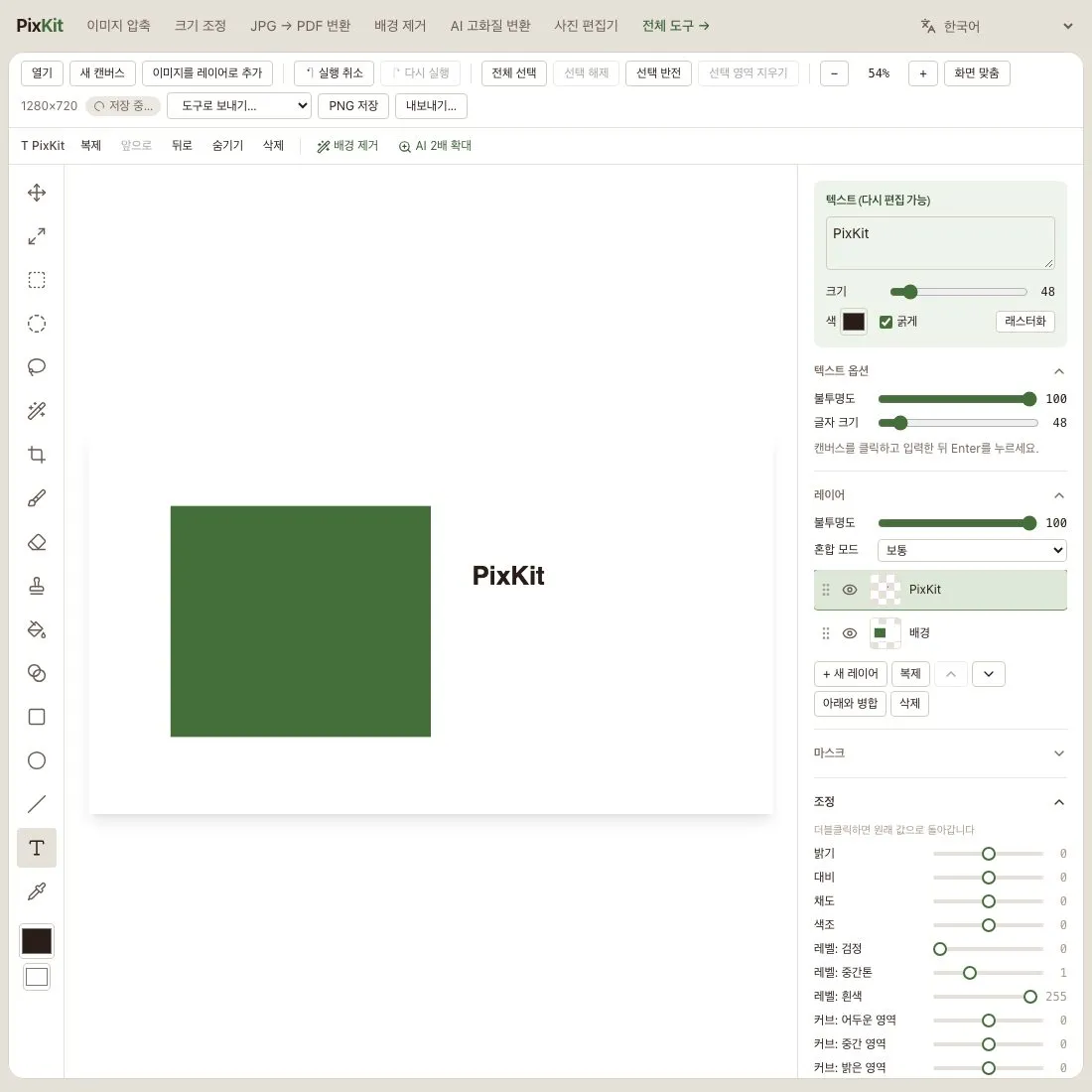
Photo Editor
Edit in one screen: layers, masks, selection tools, brush and text, brightness, levels, curves and filters
Frequently Asked Questions
Is it free? Yes. It is free to use with no sign-up.
Are my images stored on a server? No. Images are processed inside your browser. They are uploaded to the server only when you click 'Create share link', and the link is deleted automatically after 7 days.
Which formats can I upload? Upload JPG, PNG, WebP, GIF, BMP, AVIF, HEIC, TIFF, PSD, SVG and PDF files up to 20MB.
Can I compress a PNG and keep it a PNG? Yes. Choose PNG as the output format to reduce file size with palette compression, which cuts the number of colors while keeping the PNG format.
How do I reduce a photo to under 100KB? Enter 100 as the target size and run it to get the highest-quality JPG under 100KB.
Can I merge multiple JPGs into one PDF? Yes. Upload several images and you get one PDF with one page per image, in the order you uploaded them.
Does it work on iPhone, Windows and Mac? All you need is a browser. iPhone photos (HEIC) are converted automatically and turned into a PDF.
HEIC photos won't open on Android or Windows Upload your HEIC files to this page and convert them to JPG, which opens on any device.
What size is a passport photo in each country? It depends on the country. Korea, Japan, the UK and most of the EU use 3.5cm wide × 4.5cm tall (413×531 pixels at 300 DPI); the US uses 2×2 inches (about 600×600 pixels). This tool supports both sizes. Check the issuing authority for the final rules.
Start with one image
Choose imageSample photo: Taylor Leopold · Unsplash License (picsum.photos/id/279)